resources

Family Connections

Getting Involved

Tools

Resources

Leadership

About

View District Performance Levels* Due to new ELA assessments, the release of the 2024-2025 report card from USBE will be significantly delayed   

Getting Involved

Canyons Mega Menu Skip to main content

Commonly Used Screen Readers

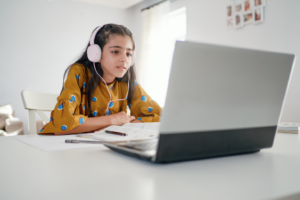
Student wearing headphones and using a laptop while studying with an open workbook.Screen readers are assistive technology tools that allow individuals who are blind or have low vision to access and interact with digital content. These tools read text aloud, announce important information about a page’s structure, and help users navigate websites, documents, applications, and other digital resources. Understanding how screen readers work can help you create more accessible digital content. Exploring these tools can also provide insight into how individuals using assistive technology experience the content you create and share.

Below are some of the most commonly used screen readers, along with resources to help you explore their features and get started.

VoiceOver is a built-in screen reader for Apple devices that reads aloud text, buttons, menus, and other onscreen elements. Users can navigate their devices using touch gestures, keyboard commands, or braille displays.

Narrator is a built-in screen reader for Microsoft Windows that reads aloud text, buttons, menus, and other onscreen elements. Users can navigate websites, documents, and applications using keyboard commands or braille displays.

TalkBack is a built-in screen reader for Android devices that reads aloud text, buttons, menus, and other onscreen elements. Users can navigate phones and tablets using touch gestures, voice feedback, or braille displays.

ChromeVox is a built-in screen reader for ChromeOS that reads aloud text, buttons, menus, links, and other onscreen elements. Users can navigate websites, documents, and applications using keyboard commands or braille displays.
NVDA is a free, open-source screen reader for Microsoft Windows that reads aloud text, buttons, menus, and other onscreen elements. Users can navigate websites, documents, and applications using keyboard commands or braille displays.

JAWS is a paid screen reader for Microsoft Windows that reads aloud text, buttons, menus, links, and other onscreen elements. Users can navigate websites, documents, and applications using keyboard commands or braille displays.

Using a Screen Reader to Check Your Content

Testing with screen readers is one way to evaluate the accessibility of digital content. It can help identify potential barriers and provide insight into how individuals who rely on screen readers navigate and interact with digital resources. Try using a screen reader to review a webpage, document, presentation, or other digital resource you’ve created. As you explore, consider how the content is presented, whether information is clear and understandable, and how easily someone can navigate and interact with it.

As you explore, consider:

  • Are headings announced in a logical order?
  • Do links clearly describe where they lead?
  • Are important images described appropriately?
  • Is the content read in a meaningful sequence?
  • Can you navigate and interact with the content using a keyboard?
  • Are instructions, form fields, and buttons clearly identified?

Remember: Screen reader testing is just one part of evaluating accessibility. Combine it with accessibility checkers, manual reviews, and keyboard testing to identify potential barriers. Whenever possible, include feedback from individuals who regularly use assistive technology.

Lucie Chamberlain

Alta View Elementary

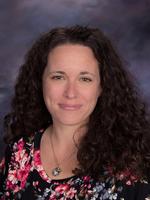
If a movie about super teachers were ever made, Lucie Chamberlain would be a prime candidate for a leading role. Fortunately for her kindergarten students at Alta View Elementary, she already thrives in a supporting role for them. Parents thank her for being a “super teacher.” She is also described as an “amazing colleague.” Whether students need help in the classroom or from home while sick, Lucie goes above and beyond to help them learn, overcome fears, and feel important and cared for. Lucie is the reason a number of kids went from hating school to loving it, according to parents. The way she exudes patience, sweetness, positive energy, and love for her students with special needs melts is appreciated and admired. One parent noted: “Both my kids wish she could be their teacher forever.” Another added:  “She treats every student like their learning and their feelings are her priority.” Super teacher, indeed!

Specialty Schools

High Schools

Elementary Schools

Middle Schools

Americans with Disabilities Act (ADA) Statement

Canyons School District is committed to making this website compliant with the ADA. At this time, we recognize that not all areas of this website may be ADA compliant. We are currently in the process of redesigning and creating new website content to be compliant with the W3C Level Two guidelines. If you are experiencing issues with this website, please contact us here communications@canyonsdistrict.org